
Gitlab Runner
Dockerfile
FROM debian:stable-slim

RUN apt-get update && \
    apt-get install -y curl

RUN curl -fsSL get.docker.com | sh

RUN curl -LJO "https://gitlab-runner-downloads.s3.amazonaws.com/latest/deb/gitlab-runner_amd64.deb"

RUN apt install -fy ./gitlab-runner_amd64.deb

RUN apt-get clean

CMD ["gitlab-runner", "run"]
docker-compose.yaml
version: '3'
services:
  gitlab-runner:
    image: 'registry.gitlab.com/eagleprojectsit/gitlab-runner-debian:latest'
    container_name: 'runner1'
    command: 'tail -f /dev/null'
    volumes:
      - /var/run/docker.sock:/var/run/docker.sock:ro
      - ./config:/etc/gitlab-runner
    restart: unless-stopped
Instructions
- Run docker compose file as is
docker compose up -d - execute
docker exec -it runner1 /bin/bash - once in the container shell
gitlab-runner register(select shell when asked)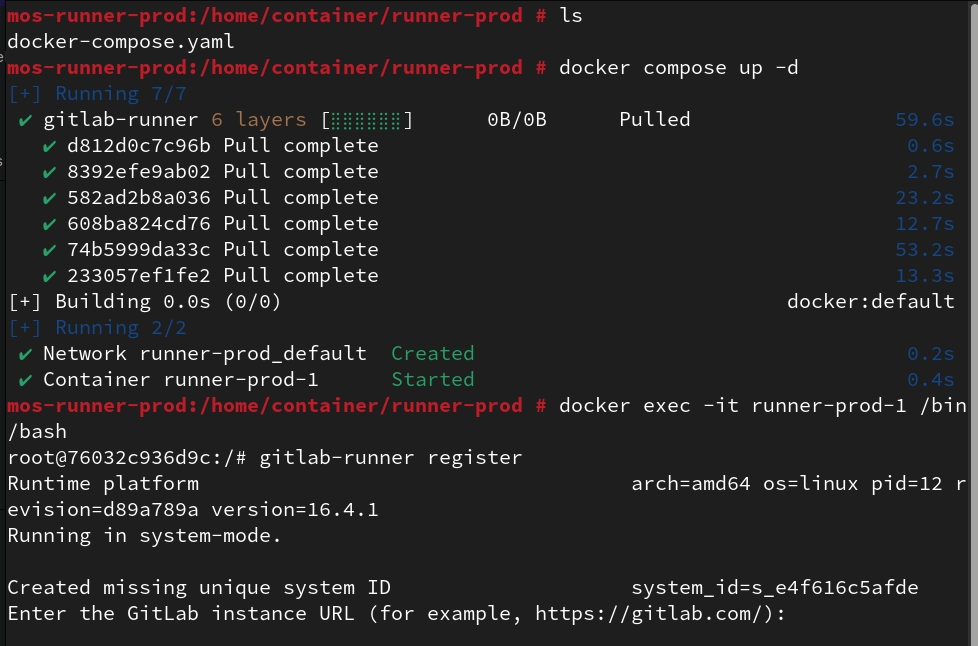
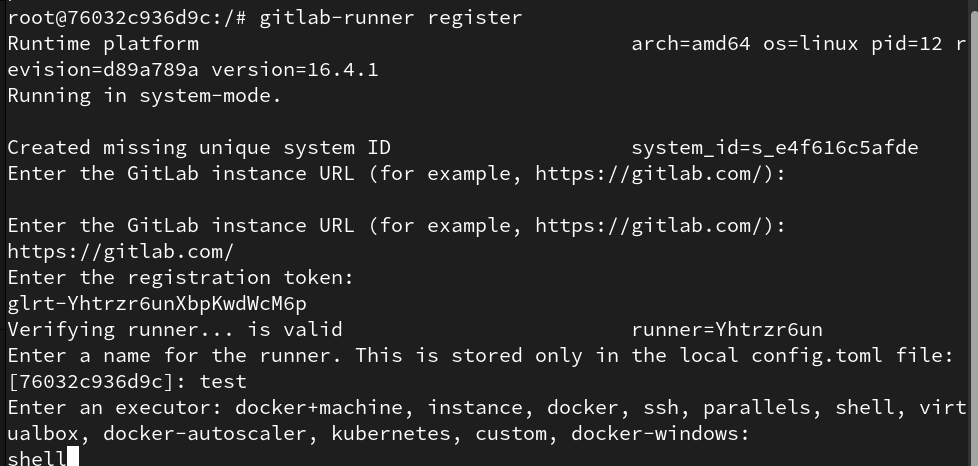
- fill the data provided by gitlab (settings>ci_cd>New project runner)
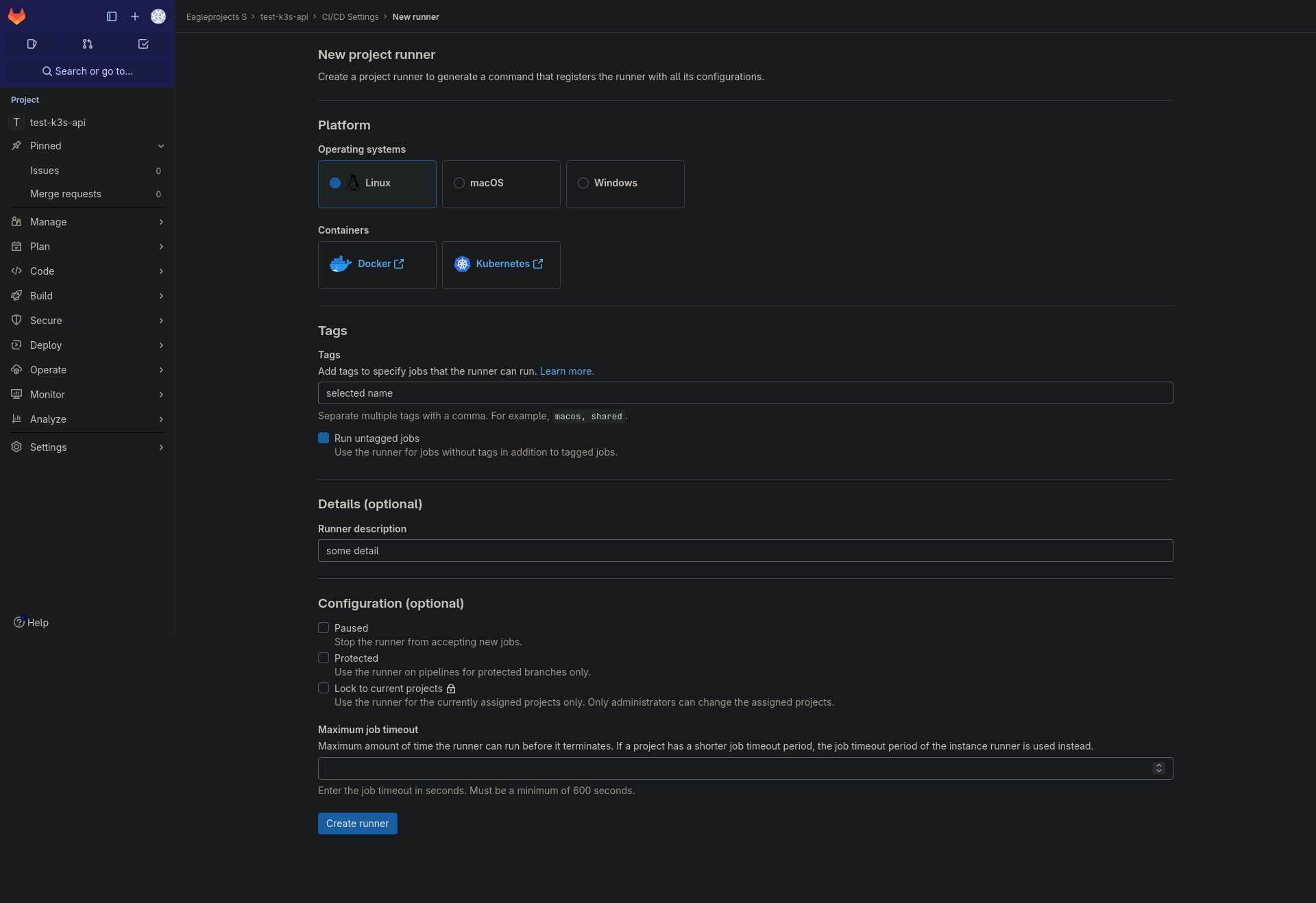
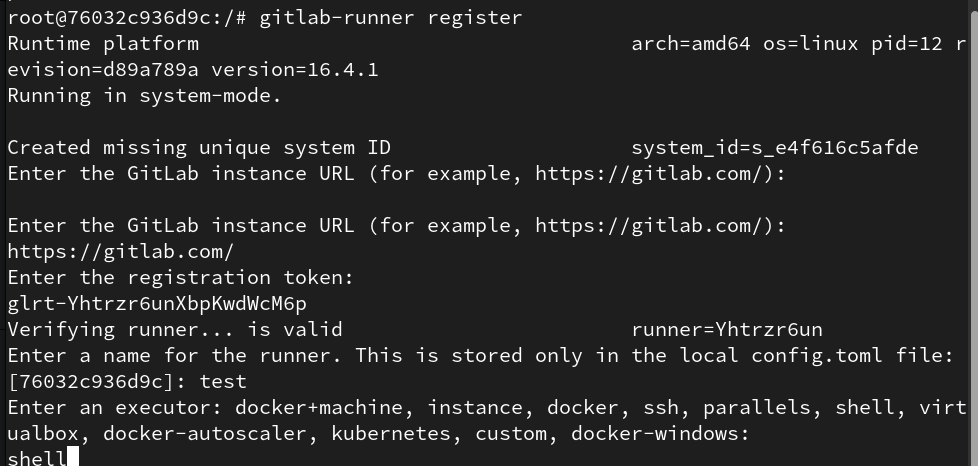
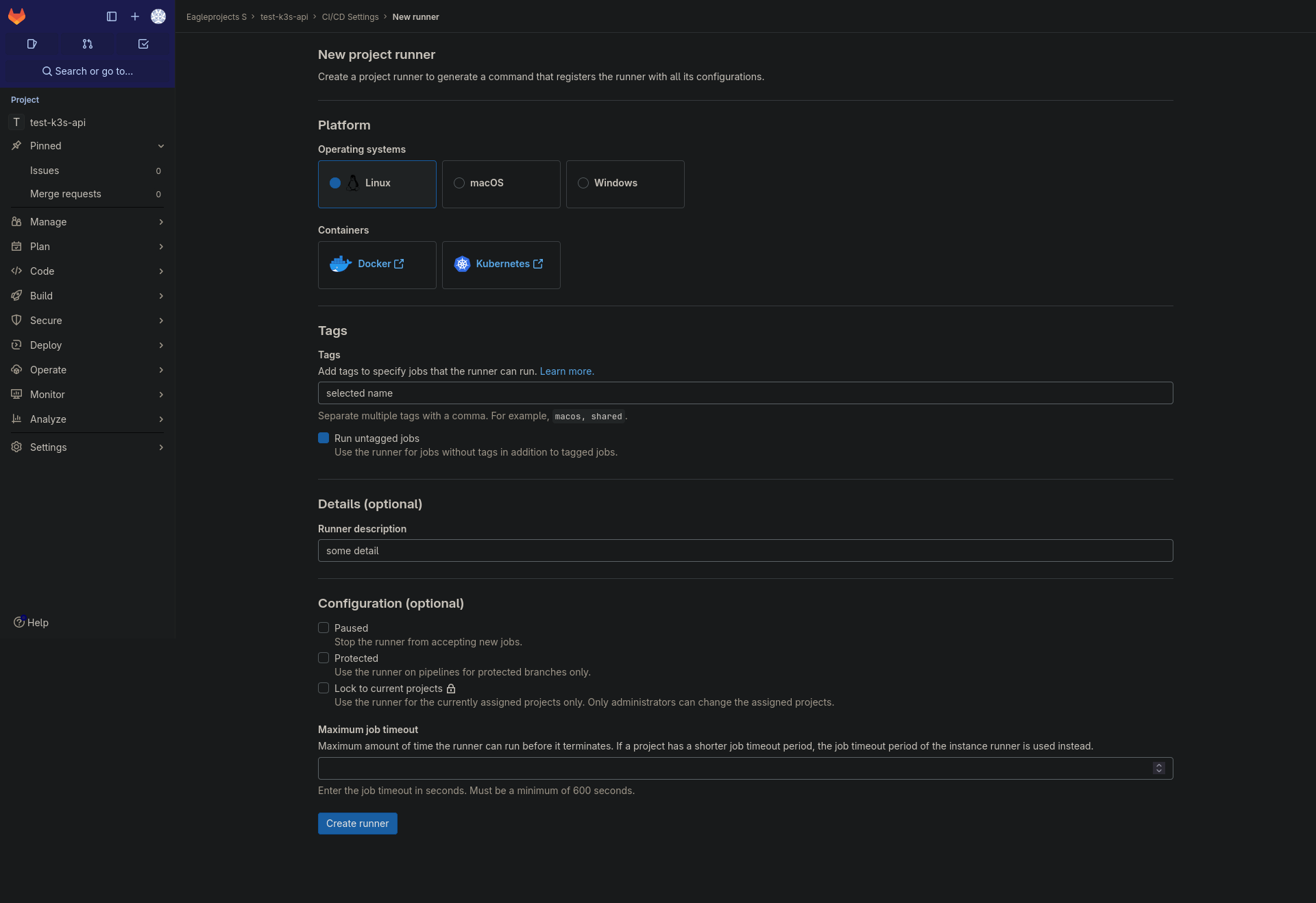
folow only step 1 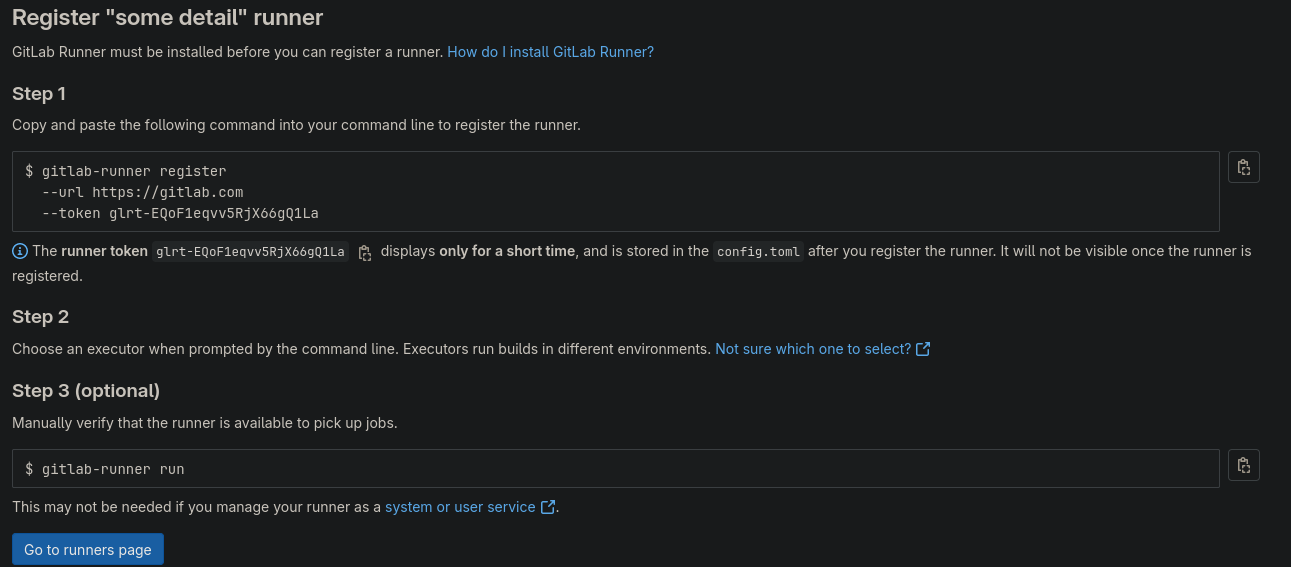
- exit container shell
exit - stop the docker compose
docker compose down - edit the docker compose commenting the line command as following
nano docker-compose.yaml
#command: 'tail -f /dev/null'
- start the docker again
docker compose up -d
note edit image and container_name as you prefer
No Comments