
Install a custom plugin in Netbox
How to install a custom plugin in netbox?
Well, you want to install a custom plugin in your netbox service becouse what it provides isn't enough for you? If it is your case this is the right guide for you. So lets dig down e follow these steps.
Activate the Virtual Environment
First of all activate your virtual environment, you have to search for it, but if you followed the instructions provided by the official guide it should be located at /opt/netbox/venv, so type /opt/netbox and copy and paste this command line to activate it:
source venv/bin/activate
Have you done it? Hell yeah, now in your editor, prompt, console or whatever you are using your virtual environment activated should appear like this:
(venv) root@netbox:/opt/netbox#
Install the plugin
We need to know if the custom plugin is free to use in the general pypi package manager or is a private package. If it is a general free pypi package you just need to install it from it by this simple command:
pip install your-package-netbox-plugin
If it is a private package you need to have the access to it, then you should have something like this:
pip install netbox-custom-plugin --index-url https://__token__:<your_personal_token>@gitlab.eagleprojects.cloud/api/v4/projects/830/packages/pypi/simple
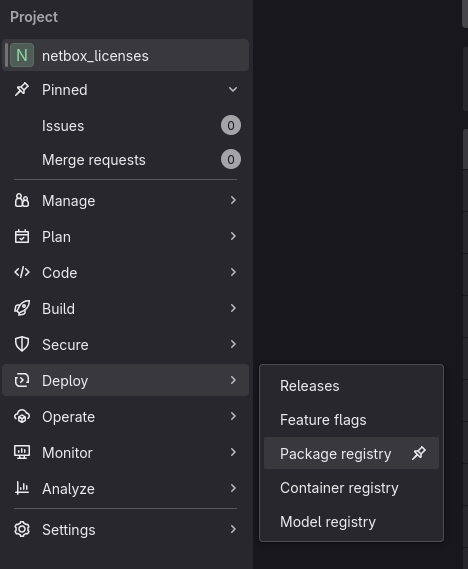
In Gitlab, when you push a package in the package registry you could found the right command line following these simple steps: Go to your project and in the sidebar search for Deploy and Package registry.
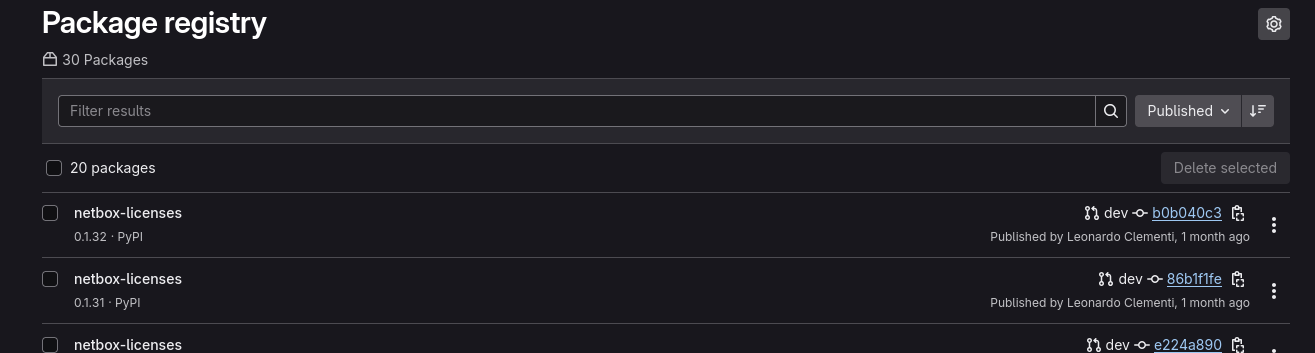
Then get the latest version of your package and open it (the latest one should be located as first in the list)
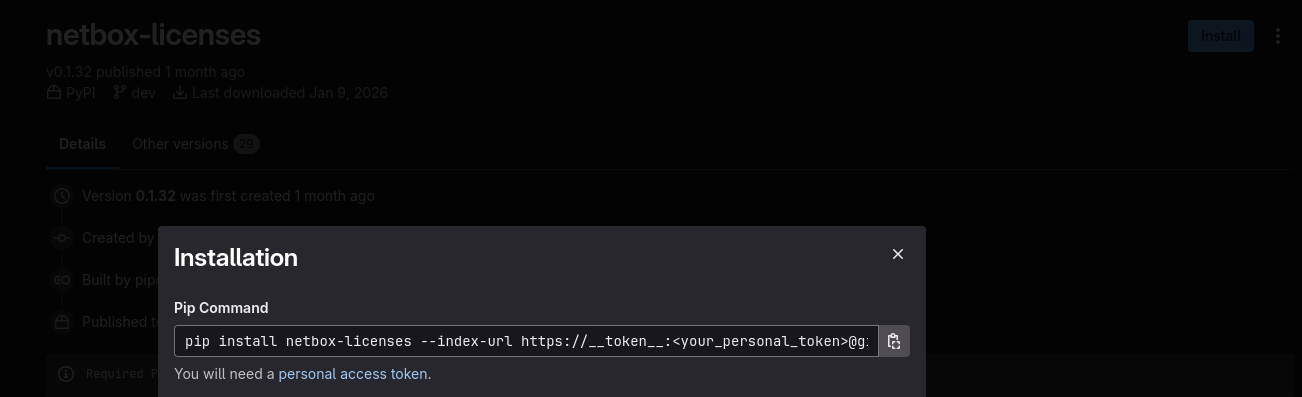
Now go to the install button in the top-right corner and copy the command line it provides.
As it says you will need a personal token to install the package, if you don't have one just follow the instructions provided by the guide linked to personal access token phrase.
Now that you have installed the package you need to go to the netbox configuration file and add your plugin in the PLUGIN keyword.